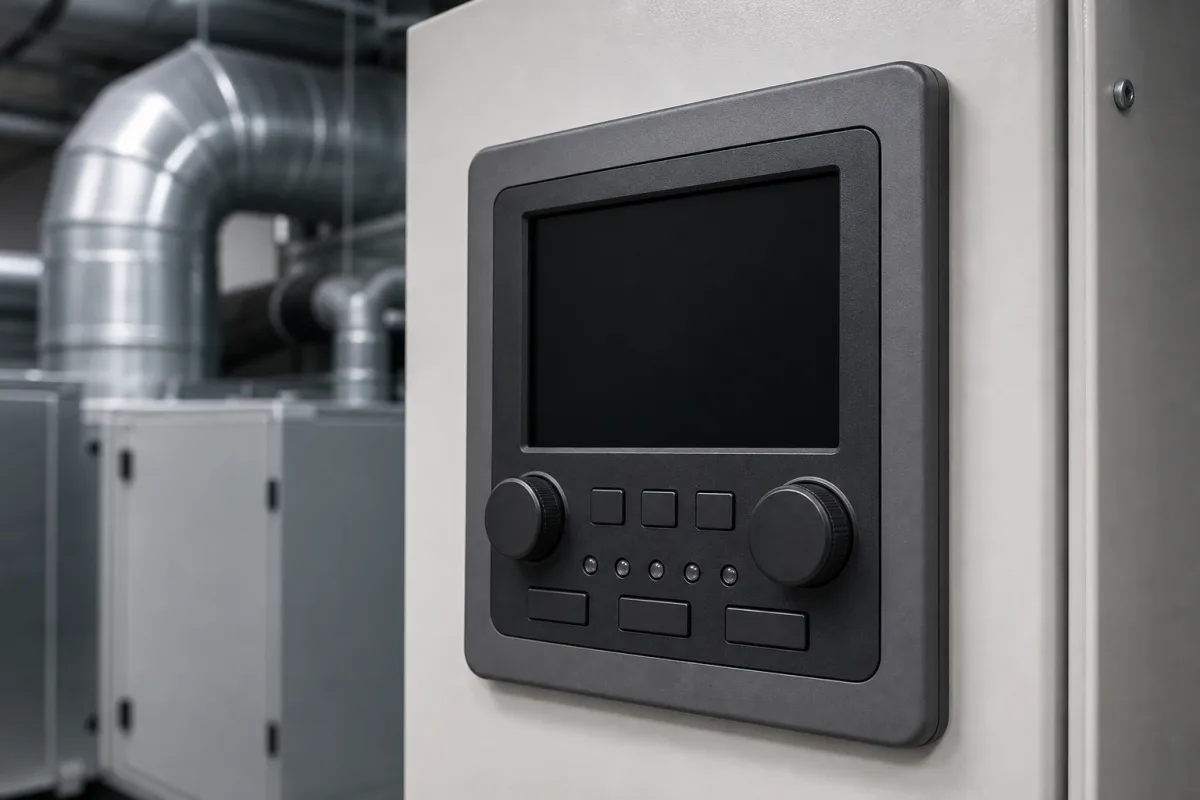
User interface for HVAC thermostats: wall-mounted room display unit wired to a zone or VAV controller
The wall-mounted display and buttons of a networked HVAC thermostat · RJ-45, two-wire Sylk or RS-485 BACnet MS/TP link, sensor accuracy against display range, setpoint limits, CO2 self-calibration
In a networked HVAC system the part of the thermostat that people see is a separate wall unit: an LCD with backlight, a few buttons for setpoint, fan and occupancy, and a room temperature sensor, sometimes with humidity, CO2 or motion sensing. The control logic runs in a zone, VAV or air-handler controller elsewhere, and the wall unit reaches it over a cable or bus. Choose the link first, because it fixes power, cable length and how many units one controller can take; then compare sensor accuracy, display range and setpoint limits.
Wall-mounted room operator and display units (networked thermostat user interfaces) that show room conditions and let occupants adjust setpoints for a separate HVAC zone, VAV, fan-coil or air-handling controller, with their sensors, display, buttons, communication link and mounting. Stand-alone panel and DIN-rail temperature controllers for ovens, extruders and process heaters are covered on the Temperature controller page. Machine HMIs, welding-machine panels, thermal-imaging software interfaces and stand-alone residential thermostats are outside this page.
CNFX editorial research · Sources checked October 12, 2026 · 3 sources
Patch cable, two-wire Sylk or RS-485 MS/TP: how the wall unit reaches its controller
The link sets where the wall unit gets its power, how far it can be from the controller and how many units share one controller.
KMC's Conquest STE-9000 NetSensors connect to BAC-5900/9000/9300 controllers through an eight-wire RJ-45 jack and a standard T568B Category 5 or better Ethernet patch cable up to 150 ft (45 m), and take their power from the controller. A distribution module, powered from 24 VAC (−15%, +20%), links up to eight NetSensors to one controller, again with patch cables up to 45 m. KMC also states that the NetSensor can be plugged in temporarily as a service tool to commission controllers, set communications and balance VAV air flow without software. [1]
Honeywell's TR42-E wall module connects to its PVB VAV controller over the two-wire, non-polarised Sylk bus, which carries both power (20 V DC rated, 0.1 A) and communication; only one TR42 may connect to one controller, the recommended wire is 22 AWG up to 30 m (100 ft), and shielded twisted pair is required for runs up to 100 m. [2]
EasyIO's NTRCLRHPS-EIO sensor is itself a BACnet MS/TP device on a two-wire RS-485 network, with a baud rate set locally from 300 to 76,800 and a MAC address from 0 to 127 (factory default 3), powered from 20–28 V AC/DC at no more than 35 mA at 24 V DC. [3]
Name the controller family and its room-unit port, the cable run from wall unit to controller, how many wall units per controller, whether the unit must be BACnet-addressable on its own, and whether service staff will use it for commissioning.
02
Sensor accuracy, display range and setpoint limits on three wall units
Read sensor accuracy together with the range it applies to; the displayed range and the occupant setpoint range are separate, narrower settings.
Editorial calculation: ±0.2 °C is ±0.36 °F, and ±0.5 °C is ±0.9 °F; on a 4 °C minimum heating-to-cooling span, as EasyIO sets, a ±0.5 °C sensor uses a quarter of the span before any control error.
Item
KMC STE-9000
Honeywell TR42-E
EasyIO NTRCLRHPS-EIO
Temperature sensor
10K Type II thermistor ±0.2 °C (8.8–35.5 °C); CMOS ±0.5 °C offset (4.4–40 °C) on humidity models [1]
Mounting box, enclosure rating and the CO2 sensor's calibration needs
Wall units are rated for indoor rooms, and the optional CO2 cell expects the room to empty out regularly.
KMC's unit is 89 × 130 × 29 mm, weighs 80 g, has a flame-retardant plastic case and mounts on a flat surface or a 2 × 4 or 4 × 4 inch electrical box (with a backplate for 4 × 4 or horizontal 2 × 4 boxes); it is UL 916 listed. [1] Honeywell's TR42-E measures 90.4 × 88.9 × 15.3 mm, fits an 86-size wall box and is rated IP20. [2] EasyIO's enclosure is white ABS rated IP30 (NEMA 1), 119 × 84 mm, and mounts on an electrical box or directly on the wall. [3]
KMC's CO2 sensor is NDIR with a 15-year minimum rated life, ±50 ppm ±3% of reading, and automatic self-calibration that assumes CO2 drops to outside levels of about 400 ppm during unoccupied periods; KMC states that the sensor keeps its accuracy if it sees the reference level at least four times in 21 days and reaches operating accuracy after about 25 hours of operation at that reference. [1] Editorial note: a wall unit in a space occupied around the clock may not see that reference, so ask whether the calibration mode can be changed.
04
Data to send for a room display unit
Paste it into your enquiry below or into an email to a maker, then replace every bracket.
Controller: [make and series; room-unit port or bus]
Link: [RJ-45 patch cable, Sylk, BACnet MS/TP or Modbus; cable length; units per controller]
Sensors: [temperature accuracy and range; humidity; CO2; motion]
User functions: [setpoint range and step; fan; occupancy override; password levels]
Display: [size; backlight; °C/°F; language or icons]
Mounting: [wall box size; enclosure rating; colour]
Explore company information and manufacturing capabilities, then discuss the scope of your project with a relevant supplier.
Share this page
Compiled and source-reviewed by the CNFX editorial team.
Each manufacturer above links to the page on that company's own website where the product is listed, with the date we checked it. How we source and review
· Page last updated 13 October 2026
Buyer questions
How is a thermostat wall display connected to the HVAC controller?
It depends on the system: KMC's STE-9000 uses an RJ-45 Ethernet patch cable up to 45 m, Honeywell's TR42-E a two-wire Sylk bus that carries power and data, and EasyIO's NTRCLRHPS-EIO joins an RS-485 BACnet MS/TP network itself. [1][2][3]
How accurate is the temperature sensor in a room display unit?
KMC and EasyIO list ±0.2 °C for their thermistor versions; Honeywell lists ±0.5 °C at 25 °C and ±1 °C over 5–37 °C for the TR42-E. [1][3][2]
Why does a CO2 room sensor need the space to empty?
KMC's self-calibrating NDIR sensor assumes it sees about 400 ppm outside-air levels at least four times in 21 days to keep its accuracy. [1]
Sources and what still needs a direct check
Sources checked 2026-10-12. KMC Controls, Honeywell (Tianjin) and EasyIO publish data for their own wall units; figures apply to the models named.