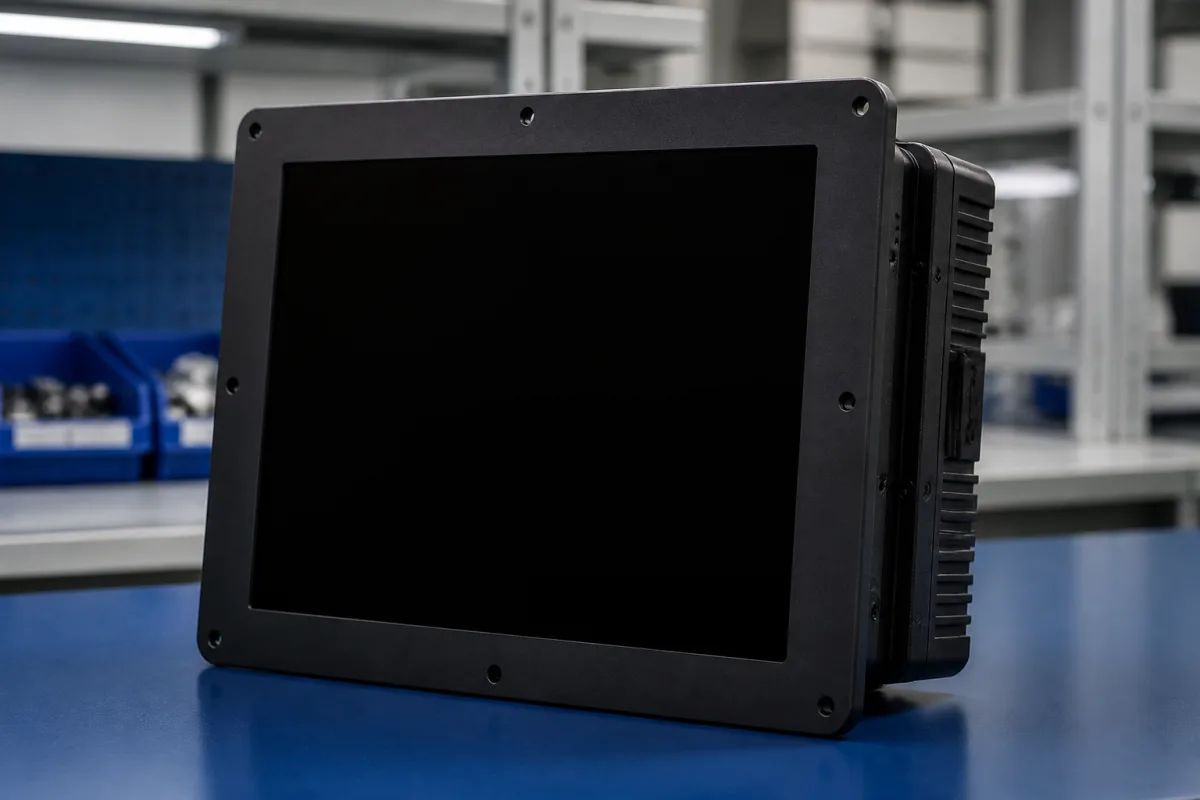
Display unit (the separate terminal and control unit of a micro or analytical balance)
The separate display and control unit of micro and analytical balances · terminal and electronics kept apart from the weighing cell, moving the terminal away on its cable, where to place it, and the interfaces it carries
On microbalances such as Sartorius's MC series and Mettler Toledo's XP, XS and XPR, the display, keys and electronics are not part of the weighing cell: they sit in a separate terminal or control unit joined to it by a cable, and the terminal can be placed apart from the draft shield. When buying a balance, or a replacement or additional display unit, specify which parts are separate, how far and where the terminal can be placed, and which interfaces it carries.
Display units, terminals and control units of micro, semi-micro and analytical balances that are separate from, or detachable from, the weighing cell, with their cables, placement and interfaces. The balances themselves (accuracy class, calibration, minimum weight) are covered on the Precision balance page; indicators for load-cell scales on the Weight indicator / controller page; generic display modules on the LCD module page; machine operator panels on the Human-machine interface (HMI) page.
CNFX editorial research · Sources checked October 12, 2026 · 3 sources
Sartorius's installation and operating instructions for its MC 5 and SC 2 microbalances list the delivery as a weighing cell, draft shield, an "Electronic computing device" and a connecting cable, with the "Display and control unit" on the computing device; the user connects the weighing cell to the computing device by hand-tightened connectors. [3] Mettler Toledo's XP and XS micro and ultra-micro balances come as a weighing cell, a control unit and a terminal; the user connects the terminal cable to the control unit and the delivered cable from the control unit to the weighing cell. [1]
Mettler Toledo's XPR microbalance manual lists a weighing unit with a socket for the terminal connection cable, a separate terminal, and a weighing display (SmartView) at the weighing chamber; its scope of delivery includes the weighing unit, terminal and terminal connection cable, and the instructions say "Use the terminal connection cable to connect the terminal to the weighing unit." [2]
Balance
Separate parts
Source
Sartorius MC 5, SC 2
Weighing cell; electronic computing device with display and control unit; connecting cable
Mettler Toledo states that the XP/XS terminal "is attached to the control unit, but can be removed and positioned individually if necessary": the terminal is unscrewed from its support, its cable pulled out and the cable guide under the control unit released, after which the terminal can be placed separately. [1]
Sartorius asks for a level, low-vibration weighing table or wall console and warns that sunlight, heaters "or similar sources of heat" can "considerably increase the temperature inside the draft shield (greenhouse effect), resulting in incorrect readouts due to convection currents, turbulence and buoyancy effects". [3] Mettler Toledo's XPR manual asks for more than 15 cm spacing all around the instrument and lists avoiding sunlight, vibration, drafts and temperature fluctuations. [2]
State where the operator will stand, whether the weighing cell sits in an enclosure or fume hood, and the cable length that needs; ask the maker which cable lengths are allowed between cell, control unit and terminal.
03
Interfaces and controls on the display unit
Mettler Toledo's XP and XS terminals are touch-sensitive graphics terminals, colour on XP and monochrome on XS, with two programmable SmartSens sensors on XP models, an integral RS232C interface and a slot for a second interface; the RS232C is specified for a maximum cable length of 15 m at baud rates from 600 to 38,400. The terminal and control unit of XP models measure 195 mm wide in the dimension drawing. [1]
On the XPR, the weighing unit carries USB-A, USB-B and Ethernet ports beside the terminal socket. [2]
04
Balance display unit details
Paste it into your enquiry below or into an email to a maker, then replace every bracket.
Balance: [make; model; serial]
Unit: [terminal; control unit; display and control unit]
Placement: [distance from cell; inside or outside enclosure]
Cable: [length; type]
Interfaces: [RS232C; USB; Ethernet; second interface]
Controls: [touch; keys; hands-free sensors]
Quantity: [units; spares]
Explore company information and manufacturing capabilities, then discuss the scope of your project with a relevant supplier.
Share this page
Compiled and source-reviewed by the CNFX editorial team.
Each manufacturer above links to the page on that company's own website where the product is listed, with the date we checked it. How we source and review
· Page last updated 13 October 2026
Buyer questions
Why is the display separate from the weighing cell?
On microbalances such as Sartorius's MC 5 and Mettler Toledo's XP/XS, the electronics and display sit in a separate unit joined to the weighing cell by a cable; Sartorius warns that heat sources near the draft shield cause incorrect readouts. [3][1]
Can the terminal be moved?
Mettler Toledo says the XP/XS terminal can be removed from the control unit and positioned individually. [1]
Why keep heat sources away?
Sartorius warns that heat can raise the temperature inside the draft shield and cause incorrect readouts through convection and buoyancy. [3]
How long can the RS232C cable be?
Mettler Toledo specifies 15 m for the XP/XS RS232C interface. [1]
Sources and what still needs a direct check
Sources checked 2026-10-12. Mettler Toledo publishes operating instructions for its XP/XS and XPR microbalances; Sartorius published installation and operating instructions for its MC and SC microbalances (copy hosted by Ursinus College).