Editorial Technical Reference

HMI Touchscreen Display

This page explains how HMI Touchscreen Display is classified within Machinery and Equipment Manufacturing. Technical values and manufacturer relationships are research references; confirm the current specification and supplier evidence for each order.

Technical Definition & Core Assembly

A touch-sensitive visual interface component of a Human-Machine Interface (HMI) system that allows operators to monitor and control industrial processes.
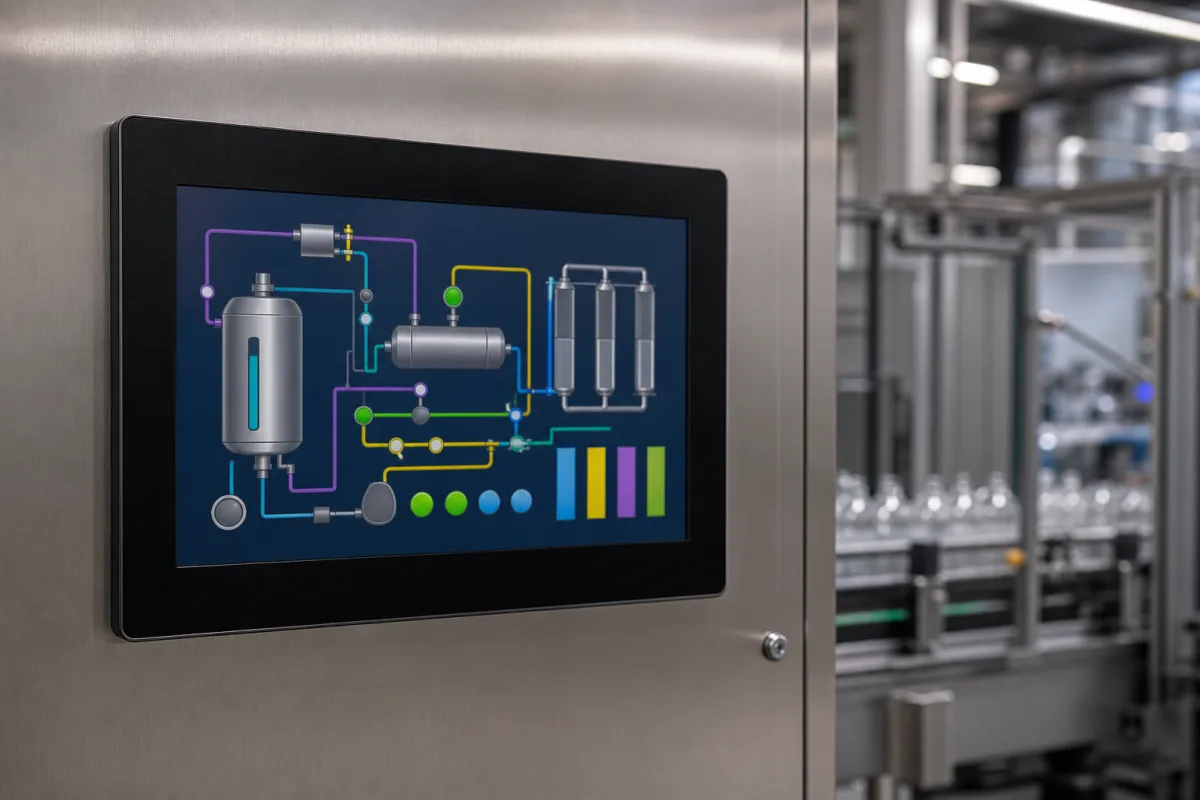
Representative product image. Confirm appearance and specifications with the manufacturer.

Product Specifications

Technical details and manufacturing context for HMI Touchscreen Display

Definition
The HMI Touchscreen Display is a critical component within a Control System (HMI/PLC), serving as the primary operator interface. It visually presents real-time data from Programmable Logic Controllers (PLCs) and other automation devices, and receives operator inputs via touch gestures to issue commands, adjust setpoints, and acknowledge alarms, thereby bridging the gap between human operators and automated machinery. This display is designed for integration into industrial machinery and equipment, where it provides a durable and intuitive interface for process monitoring and control. The display typically features a tempered glass front, a polycarbonate or acrylic bezel, an LCD panel, a touch sensor film (capacitive or resistive), and a printed circuit board (PCB) for signal processing. Common screen sizes range from 7 to 15 inches, with resolutions from 800×480 to 1920×1080 pixels. Brightness levels vary from 300 to 1000 cd/m², and backlight lifetime is typically 30,000 to 50,000 hours. Operating temperature ranges from -20 to 60 °C, storage temperature from -30 to 70 °C, and relative humidity from 10% to 90% (non-condensing). The front panel ingress protection is rated IP54 to IP65 per IEC 60529. Input voltage is typically 24 V DC ±10%, with power consumption between 10 and 30 W depending on size and brightness. Touch types include resistive (suitable for glove use) and capacitive (supports multi-touch). Weight varies from 0.5 to 3.0 kg. These specifications are reference ranges; actual values must be confirmed with the manufacturer for the specific model and application. The display is a component, not a standalone product, and its performance depends on the HMI software and PLC integration. Always verify model-specific values and standards with the legal manufacturer or supplier before procurement.
Working Principle
The display functions by rendering graphical user interface (GUI) elements based on data received from the PLC via communication protocols (e.g., Ethernet/IP, Profinet). A capacitive or resistive touch sensor layer overlays the screen, detecting the location of a user's touch. This input is translated into a command (e.g., button press, slider adjustment) by the HMI software, which then sends corresponding control signals back to the PLC to execute the desired action in the industrial process. The display continuously updates to reflect process changes, alarms, and operator inputs, ensuring real-time interaction.
Common Materials
Tempered Glass, Polycarbonate or Acrylic Bezel, LCD Panel, Touch Sensor Film (Capacitive/Resistive), PCB (Printed Circuit Board)
Technical Parameters
ParameterTypical rangeNotes & selection driver
Screen Size7–15 inchCommon sizes for industrial HMIs
Resolution800×480–1920×1080 pixelsHigher resolution for detailed graphics
Brightness300–1000 cd/m²Higher for outdoor or high-ambient-light
Backlight Lifetime30000–50000 hLED backlight typical
Operating Temperature-20–60 °CExtended range available
Storage Temperature-30–70 °CNon-operating
Relative Humidity10–90 %Non-condensing
Ingress ProtectionIP54–IP65Front panel ratingIEC 60529
Input Voltage24 ±10% V DCTypical industrial supply
Power Consumption10–30 WDepends on size and brightness
Touch TypeResistive–CapacitiveResistive for gloves, capacitive for multi-touch
Weight0.5–3.0 kgVaries with size

Ranges are indicative industry figures for RFQ preparation, not a supplier commitment. Confirm every value and standard with the legal manufacturer before ordering.

Components / BOM
  • Display Panel (LCD/TFT) Part
    Renders the graphical user interface and process data visually.
    Material: Glass, Liquid Crystal, Polarizing Filters
  • Touch Sensor Layer Part
    Detects and locates touch input from the operator.
    Material: ITO (Indium Tin Oxide) Coated Glass or Film
  • Controller Board
    Processes touch input data and manages communication with the main HMI/PLC system.
    Material: FR4 PCB with embedded processors and memory
  • Front Bezel/Enclosure Part
    Protects the display edges and touch sensor, provides mounting points, and ensures IP rating.
    Material: Stainless Steel or Industrial-Grade Plastic

Applied To / Applications

This component is essential for the following industrial systems and equipment:

Industrial Ecosystem & Supply Chain Structure

Complementary Systems
Downstream Applications
Specialized Tooling

Application Fit & Sizing Matrix

Operational Limits
pressure: Atmospheric (non-pressurized environment)
other spec: IP65/IP66 ingress protection, 1000:1 contrast ratio, 500 cd/m² brightness
temperature: -20°C to +60°C (operating), -30°C to +70°C (storage)
Media Compatibility
✓ Control room environments ✓ Factory floor enclosures ✓ Clean manufacturing areas
Unsuitable: High-pressure washdown or explosive atmospheres (unless specifically rated for such)
Sizing Data Required
  • Display size and resolution required
  • Mounting configuration and panel cutout dimensions
  • Communication protocols and I/O requirements

Reliability & Engineering Risk Analysis

Failure Mode & Root Cause
Touchscreen Calibration Drift
Cause: Accumulation of contaminants (dust, oils, moisture) on the screen surface interfering with capacitive sensing, or software/firmware corruption affecting calibration algorithms.
Display Backlight Failure
Cause: Degradation of LED/LCD backlight components due to thermal cycling, prolonged high-brightness operation, or power supply voltage irregularities causing premature wear.
Maintenance Indicators
  • Unresponsive or erratic touch response (phantom touches, dead zones)
  • Flickering, dimming, or complete loss of display backlight, often preceded by audible buzzing from the power inverter.
Engineering Tips
  • Implement regular, gentle cleaning with manufacturer-approved, non-abrasive, non-conductive screen cleaners and microfiber cloths to prevent contaminant buildup and electrostatic damage.
  • Configure display brightness to auto-adjust based on ambient light or set to the minimum usable level, and ensure stable, clean power supply within specified voltage ranges to reduce thermal and electrical stress on components.

Indicative industry ranges for design and RFQ preparation. Confirm the exact figures and applicable standard with the manufacturer before specifying.

Compliance & Manufacturing Standards

Applicable Standards
ISO 9241-307: Ergonomics of human-system interaction - Part 307: Analysis and compliance test methods for electronic visual displays IEC 61000-6-2: Electromagnetic compatibility (EMC) - Part 6-2: Generic standards - Immunity standard for industrial environments EN 60529: Degrees of protection provided by enclosures (IP Code)

Quoted from the published standard.

Manufacturing Precision
  • Touchscreen alignment: +/- 0.3mm relative to display active area
  • Surface flatness: 0.2mm maximum deviation across entire screen surface
Quality Inspection
  • Touchscreen linearity and accuracy test using calibrated touch test equipment
  • Environmental stress screening (ESS) including temperature cycling and humidity exposure

Manufacturers of HMI Touchscreen Display

Manufacturer profiles associated with HMI Touchscreen Display.

Sourcing HMI Touchscreen Display from China?
Tell us your specification and target quantity — we will match it against manufacturer records and come back with the factories that fit.
Request manufacturers We manufacture this

Manufacturer listings support early research and capability understanding. They are not certification, ranking, or transaction guarantees.

Technical documentation
Request current drawings, revision history, and a signed specification sheet.
Manufacturing capability
Verify equipment lists, process limits, capacity, and representative production evidence.
Inspection readiness
Confirm test methods, calibrated equipment, sampling plans, and traceable reports.
Supplier transparency
Check the legal entity, factory address, ownership, certifications, and direct contacts.

CNFX does not score or rank suppliers. Buyers must verify all claims and documents with the legal manufacturer before ordering.

Supply Chain Compatible Machinery & Devices

Heavy-Duty CNC Plasma Cutting Machine

The Heavy-Duty CNC Plasma Cutting Machine is a standalone industrial device designed for cutting conductive metals such as steel, stainless steel, aluminum, and copper alloys.

Explore Specs →
Automated Powder Coating System

Integrated industrial system for applying dry powder coatings to metal substrates.

Explore Specs →
Centrifugal Pump Impeller

The centrifugal pump impeller is a critical rotating component that converts mechanical energy from the motor into kinetic energy in fluid systems.

Explore Specs →
High-Precision CNC Laser Cutting Machine

Computer-controlled industrial machine using focused laser beams to cut sheet metal with micron-level accuracy.

Explore Specs →

Frequently Asked Questions

What communication protocols does the HMI touchscreen display support?

The display supports communication protocols such as Ethernet/IP and Profinet, as mentioned in the working principle. However, the exact protocols supported depend on the specific HMI model and its software configuration. Always check the manufacturer's documentation for the list of supported protocols.

Can the touchscreen be used with gloves?

Yes, resistive touch screens are typically suitable for use with gloves, while capacitive screens may not respond to gloved touches unless they are designed for glove use. The touch type is specified as resistive to capacitive, so you should confirm the touch technology of the specific model and its compatibility with gloves.

What is the typical lifespan of the backlight?

The backlight lifetime is typically 30,000 to 50,000 hours, as listed in the parameters. This is a reference range; the actual lifespan may vary depending on usage conditions such as brightness settings and ambient temperature. Refer to the manufacturer's specifications for the specific model.

Is the display suitable for outdoor use?

The display has a brightness range of 300 to 1000 cd/m², with higher brightness recommended for outdoor or high-ambient-light environments. However, the operating temperature range is -20 to 60 °C, and the ingress protection is IP54 to IP65, which may not be sufficient for all outdoor conditions. Verify the specific model's ratings and suitability for your application.

Data Basis

Editorial classification, named public sources where available, and source-reviewed manufacturer records.

Preliminary Technical Classification
This page supports structured research, RFQ preparation, and supplier evaluation. It does not replace buyer-led supplier qualification, standards review, or technical approval.
Buyer enquiry

Request manufacturing insight for HMI Touchscreen Display

Ask for use case, specification boundaries, supplier type, and RFQ preparation information for this product.

Where it goes
Straight to the CNFX editorial desk, and to the manufacturer if this product is linked to a claimed profile. Nothing is broadcast to a supplier list.
Your details stay here
We do not sell or rent enquiry data, and we do not add you to a mailing list. Used only to answer this request.
No commission, no middleman
CNFX is a directory. We take no cut of any order and never negotiate on a supplier's behalf.
What we don't claim
A listing is not an endorsement. Qualify every supplier and verify every figure yourself before ordering.

Your business information is used only to process this request.

Thank you! Your message has been sent. We'll respond within 1–3 business days.
Sorry, we couldn't send your message. Please try again, or email us at contact@cnfx.com.

Need to Manufacture HMI Touchscreen Display?

Compare manufacturer profiles with relevant product and process capability.

Previous Product
Z-axis Ram/Spindle
Last Product
Get QuotesChat