Editorial Technical Reference

User Interface / Display

This page explains how User Interface / Display is classified within Machinery and Equipment Manufacturing. Technical values and manufacturer relationships are research references; confirm the current specification and supplier evidence for each order.

Technical Definition & Core Assembly

Human-machine interface component of a flow controller that provides visual feedback and operator controls for monitoring and adjusting flow parameters.
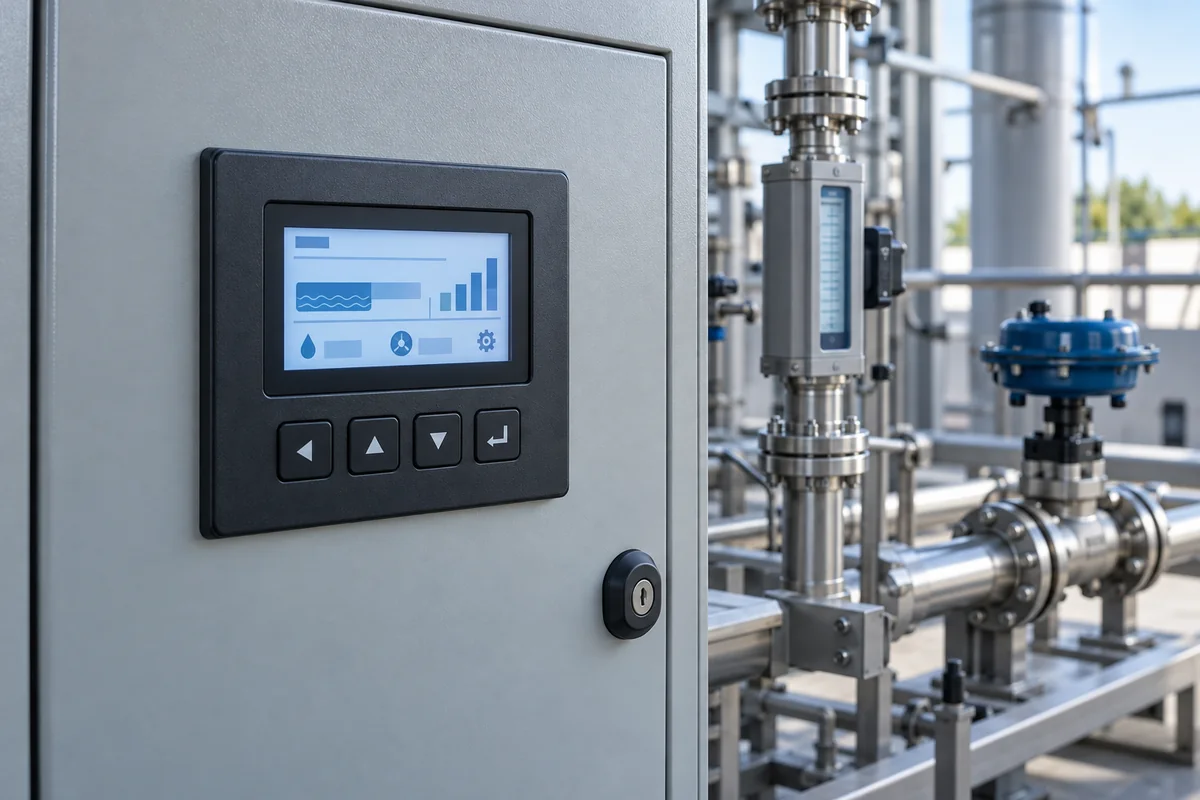
Representative product image. Confirm appearance and specifications with the manufacturer.

Product Specifications

Technical details and manufacturing context for User Interface / Display

Definition
The user interface/display is an integral part of a flow controller system that serves as the primary interaction point between operators and the control equipment. It typically consists of a visual display screen (LCD, LED, or touchscreen) and input controls (buttons, knobs, or touch interface) that allow users to monitor real-time flow data, set parameters, view alarms, and configure system settings. This component translates complex flow control data into understandable formats and enables precise manual adjustments when needed. The display receives electrical signals from the flow controller's processing unit, converts them into visual information (text, numbers, graphs, or icons) using display driver circuitry, and presents them on the screen. Input controls capture operator commands through physical switches, capacitive touch sensors, or resistive touch layers, converting them into digital signals that are sent back to the controller's main processor for execution. Modern interfaces often incorporate touchscreen technology that combines display and input functions in a single integrated unit. The component is housed in a durable enclosure, typically made of aluminum or stainless steel, with a polycarbonate or acrylic screen for protection. It operates within specified environmental limits, including temperature, humidity, and ingress protection ratings, and requires a stable DC power supply. Communication interfaces such as RS-232 or RS-485 enable data exchange with PLCs or other control systems. The display is available in various screen sizes and resolutions to suit different application needs, with options for resistive or capacitive touch. It is designed for panel mounting, with specific cutout dimensions. The backlight has a rated lifetime, and power consumption varies with screen size and backlight settings. For accurate selection and installation, verify model-specific parameters and standards with the legal manufacturer or supplier.
Working Principle
The display receives electrical signals from the flow controller's processing unit, converts them into visual information (text, numbers, graphs, or icons) using display driver circuitry, and presents them on the screen. Input controls capture operator commands through physical switches, capacitive touch sensors, or resistive touch layers, converting them into digital signals that are sent back to the controller's main processor for execution. Modern interfaces often incorporate touchscreen technology that combines display and input functions in a single integrated unit.
Common Materials
Polycarbonate or acrylic screen, Aluminum or stainless steel housing, Electronic components (PCB, ICs, connectors)
Technical Parameters
ParameterTypical rangeNotes & selection driver
Screen Size4.3–10.1 inchLarger screens for complex data display
Resolution480×272–1280×800 pixelsHigher resolution for detailed graphs
Touch TypeResistive–CapacitiveCapacitive for better sensitivity
Operating Temperature-20–60 °COutside range may cause display failure
Storage Temperature-30–70 °CFor non-operating conditions
Humidity10–90 % RHNon-condensing
Ingress ProtectionIP54–IP65Higher IP for dusty/wet environmentsIEC 60529
Supply Voltage24 ±10% V DCStable voltage required for reliable operation
Power Consumption5–15 WDepends on screen size and backlight
Communication InterfaceRS-232/RS-485For data exchange with PLC
Backlight Lifetime30000–50000 hLED backlight typical
Weight0.5–2.0 kgVaries with size and enclosure
Panel Cutout Size138×138–260×200 mmMust match mounting hole

Ranges are indicative industry figures for RFQ preparation, not a supplier commitment. Confirm every value and standard with the legal manufacturer before ordering.

Components / BOM
  • Display Screen
    Visual output of flow data, alarms, and system status
    Material: LCD/LED panel with protective glass/plastic overlay
  • Touch Sensor Layer Part
    Detects user touch input for interactive control
    Material: Capacitive or resistive film with transparent conductive coating
  • Control Buttons/Knobs Part
    Physical input devices for parameter adjustment and navigation
    Material: Plastic or metal with tactile switches
  • Housing/Bezel Part
    Protects internal components and provides mounting structure
    Material: Aluminum alloy or industrial-grade plastic
  • Interface Board
    Processes signals between display and main controller
    Material: Printed circuit board with microcontrollers and connectors

Applied To / Applications

This component is essential for the following industrial systems and equipment:

Industrial Ecosystem & Supply Chain Structure

Complementary Systems
Downstream Applications
Specialized Tooling

Application Fit & Sizing Matrix

Operational Limits
pressure: 0 to 10 bar
other spec: Flow Rate: 0-1000 L/min, Slurry Concentration: ≤30% solids by weight
temperature: -20°C to +70°C
Media Compatibility
✓ Water-based fluids ✓ Hydraulic oils ✓ Food-grade liquids
Unsuitable: Corrosive chemical environments (e.g., concentrated acids, strong oxidizers)
Sizing Data Required
  • Required display resolution (e.g., 0.1 L/min precision)
  • Communication protocol (e.g., 4-20mA, Modbus, Profibus)
  • Enclosure rating (e.g., IP65, NEMA 4X)

Reliability & Engineering Risk Analysis

Failure Mode & Root Cause
Pixel Degradation/Dead Pixels
Cause: Thermal stress from prolonged high-temperature operation, electrical overstress from power surges, or manufacturing defects in the LCD/OLED panel leading to individual pixel failure or discoloration.
Touchscreen Unresponsiveness/Drift
Cause: Contaminant ingress (dust, moisture, oils) compromising the capacitive sensor layer, physical damage to the digitizer from impact, or software/firmware corruption affecting calibration.
Maintenance Indicators
  • Flickering, persistent lines, or discoloration on the display surface.
  • Inconsistent touch response (ghost touches, dead zones) or audible buzzing/humming from the display unit.
Engineering Tips
  • Implement controlled thermal management: Ensure adequate ventilation/cooling around the display housing to prevent overheating, and avoid direct exposure to high ambient temperatures or sunlight.
  • Establish regular cleaning and calibration protocols: Use manufacturer-approved, non-abrasive cleaners for the screen surface, and perform periodic touch calibration and software updates to maintain sensor accuracy.

Indicative industry ranges for design and RFQ preparation. Confirm the exact figures and applicable standard with the manufacturer before specifying.

Compliance & Manufacturing Standards

Applicable Standards
ISO 9241-210:2019 (Ergonomics of human-system interaction) IEC 62368-1:2018 (Audio/video, information and communication technology equipment) CE Marking (EU compliance for health, safety, and environmental protection)

Quoted from the published standard.

Manufacturing Precision
  • Pixel pitch uniformity: +/- 0.001mm
  • Color gamut deviation: +/- 2% Delta E
Quality Inspection
  • Backlight uniformity test (using photometer grid)
  • Touchscreen accuracy and response test

Manufacturers of User Interface / Display

Manufacturer profiles associated with User Interface / Display.

Sourcing User Interface / Display from China?
Tell us your specification and target quantity — we will match it against manufacturer records and come back with the factories that fit.
Request manufacturers We manufacture this

Manufacturer listings support early research and capability understanding. They are not certification, ranking, or transaction guarantees.

Technical documentation
Request current drawings, revision history, and a signed specification sheet.
Manufacturing capability
Verify equipment lists, process limits, capacity, and representative production evidence.
Inspection readiness
Confirm test methods, calibrated equipment, sampling plans, and traceable reports.
Supplier transparency
Check the legal entity, factory address, ownership, certifications, and direct contacts.

CNFX does not score or rank suppliers. Buyers must verify all claims and documents with the legal manufacturer before ordering.

Supply Chain Compatible Machinery & Devices

Automated Powder Coating System

Integrated industrial system for applying dry powder coatings to metal substrates.

Explore Specs →
Centrifugal Pump Impeller

The centrifugal pump impeller is a critical rotating component that converts mechanical energy from the motor into kinetic energy in fluid systems.

Explore Specs →
High-Precision CNC Laser Cutting Machine

Computer-controlled industrial machine using focused laser beams to cut sheet metal with micron-level accuracy.

Explore Specs →
Industrial-Grade Hydraulic Cylinder Piston Rod

This industrial-grade piston rod is a precision-ground cylindrical component designed for use in hydraulic cylinders.

Explore Specs →

Frequently Asked Questions

What are the typical screen sizes and resolutions available?

Screen sizes range from 4.3 to 10.1 inches, with resolutions from 480×272 to 1280×800 pixels. Larger screens and higher resolutions are suitable for displaying complex data and detailed graphs. Confirm the exact specifications for your model with the manufacturer.

What touch types are available?

Touch types range from resistive to capacitive. Capacitive touch offers better sensitivity and is often preferred for modern interfaces. The choice depends on the application environment and user requirements. Verify the touch type for your specific model.

What are the operating and storage temperature limits?

The operating temperature range is -20 to 60 °C, and the storage temperature range is -30 to 70 °C. Operating outside these ranges may cause display failure. Always ensure the display is used within these limits.

What communication interfaces are supported?

The display supports RS-232 and RS-485 communication interfaces for data exchange with PLCs or other control systems. Verify the interface availability and compatibility with your system.

Data Basis

Editorial classification, named public sources where available, and source-reviewed manufacturer records.

Preliminary Technical Classification
This page supports structured research, RFQ preparation, and supplier evaluation. It does not replace buyer-led supplier qualification, standards review, or technical approval.
Buyer enquiry

Request manufacturing insight for User Interface / Display

Ask for use case, specification boundaries, supplier type, and RFQ preparation information for this product.

Where it goes
Straight to the CNFX editorial desk, and to the manufacturer if this product is linked to a claimed profile. Nothing is broadcast to a supplier list.
Your details stay here
We do not sell or rent enquiry data, and we do not add you to a mailing list. Used only to answer this request.
No commission, no middleman
CNFX is a directory. We take no cut of any order and never negotiate on a supplier's behalf.
What we don't claim
A listing is not an endorsement. Qualify every supplier and verify every figure yourself before ordering.

Your business information is used only to process this request.

Thank you! Your message has been sent. We'll respond within 1–3 business days.
Sorry, we couldn't send your message. Please try again, or email us at contact@cnfx.com.

Need to Manufacture User Interface / Display?

Compare manufacturer profiles with relevant product and process capability.

Previous Product
Z-axis Ram/Spindle
Last Product
Get QuotesChat