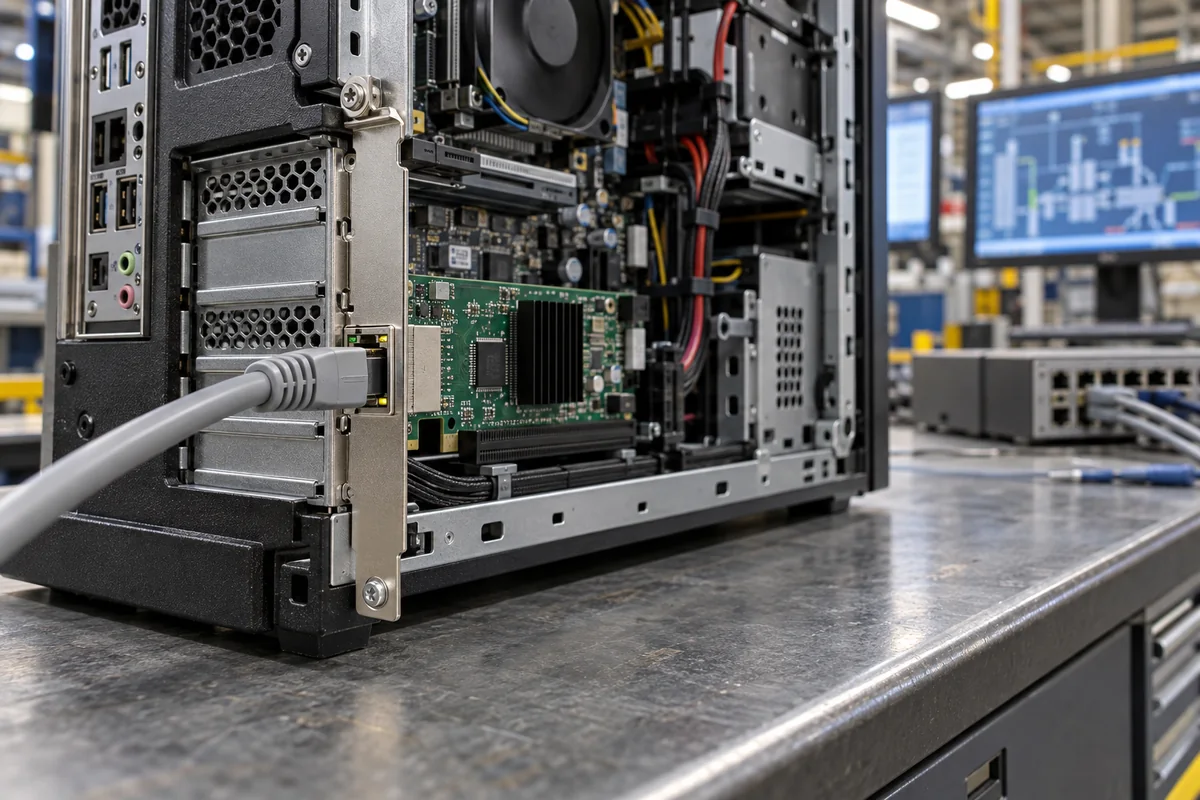
2.5 Gigabit PCIe network card: a single-port 2.5GBASE-T adapter on one PCIe 2.1 lane for desktop and industrial PCs
Single-port 2.5GBASE-T cards for desktop and industrial PCs · one PCIe 2.1 lane against the line rate, Cat 5e cabling and speed fallback, PTP and 802.1Qav on the controller, brackets and operating range
A PC on a factory floor, in a test cell or at an engineering workstation may have only a gigabit port on its motherboard while the switch next to it, and the cable already in the wall, could carry more. A single-port 2.5 Gigabit card is the small upgrade: one RJ45 port, one PCIe lane, one controller chip. What to check is whether that one lane carries the line rate, whether the installed cable supports it, what the controller offers beyond moving packets, and whether the bracket fits the case.
Single-port 2.5GBASE-T PCIe add-in network cards (one RJ45 port, PCIe 2.1 x1) for desktop, workstation and industrial PCs, with the controller chips they are built on. Ethernet adapter cards chosen by port speed from gigabit to 400 Gb/s, OCP 3.0 cards, offloads and receive queues for servers are covered on the Network interface controller (NIC / Ethernet adapter card) page. Rack and backplane plug-in cards, PCIe and M.2 cards combining Ethernet, SFP and isolated serial ports are covered on the Communication interface board page, and multi-port PoE+ camera cards on the Interface board for a vision processing unit page. Ethernet PHY chips, Ethernet magnetics and optical transceiver modules each have their own pages. 5G and 10GBASE-T cards, Wi-Fi cards and USB network adapters are outside this page.
CNFX editorial research · Sources checked October 12, 2026 · 3 sources
One PCIe 2.1 lane: 500 MB/s each way against a 2.5 Gb/s port
Realtek's RTL8125BG, a single-chip 10/100/1000M/2.5G controller, connects to the host over one PCI Express 2.1 lane at 5 Gbps, and TP-Link's TX201 card presents that as one PCI Express 2.1 x1 edge and one RJ45 port. [1][2] Synopsys gives a PCIe 2.x lane 500 MB/s in each direction, and PCIe 3.0 1 GB/s per lane, the gain coming partly from replacing 8b/10b encoding with 128b/130b. [3]
Editorial calculation: 500 MB/s is 4 Gb/s in each direction, which covers a 2.5 Gb/s port sending and receiving at once with 1.5 Gb/s to spare for PCIe packet overhead. [3][1] The same lane could not carry a 5GBASE-T port at line rate; that needs a PCIe 3.0 lane at about 8 Gb/s, or two PCIe 2.x lanes, which is one reason this page stops at 2.5G cards. [3]
TP-Link quotes the TX201's speeds as 10 Mbps, 100 Mbps, 1 Gbps and 2.5 Gbps in half-duplex terms and 20 Mbps to 5 Gbps in full duplex, and notes that these are physical rates derived from IEEE 802.3, not guaranteed throughput. [2] Editorial note: the 5 Gbps figure is 2.5 Gb/s in each direction added together, not a 5G link.
A x1 card fits a x1, x4, x8 or x16 slot, but ask whether the slot you plan to use is wired as a PCIe 2.0 or later lane rather than through a shared chipset bridge; the card's own speed is set by its controller and that lane.
02
2.5GBASE-T over the installed Cat 5e, with fallback to 1G, 100M and 10M
Realtek states that the RTL8125BG transmits over Cat 5e UTP, with Cat 3 UTP usable at 10 Mbps only, and lists IEEE 802.3bz for 2.5GBASE-T alongside 802.3u and 802.3ab for 10/100 and 1000 Mb/s. [1]
The chip negotiates speed with Extended Next Page auto-negotiation, is compatible with the NBASE-T Alliance PHY specification, and has a 2.5G Lite mode that runs at a 1G data rate. Its transceiver handles crossover and polarity correction, pair swap and skew, adaptive equalization and echo and crosstalk cancellation. [1] Energy Efficient Ethernet (IEEE 802.3az) lets both ends drop into low power idle when the link is lightly used. [1]
Editorial note: the link runs at 2.5 Gb/s only if the switch port at the other end also supports 2.5GBASE-T; against a gigabit-only port the card negotiates 1 Gb/s.
03
IEEE 1588 and 802.1AS timing, 802.1Qav shaping and host offloads on the RTL8125BG
Realtek builds hardware support for IEEE 1588v1, IEEE 1588v2 and IEEE 802.1AS (Precision Time Protocol) into the RTL8125BG and describes PTP as giving microsecond-level time synchronisation among Ethernet devices; it also lists the IEEE 802.1Qav credit-based shaper and 802.1P priority encoding, part of the Audio Video Bridging toolset. [1]
For the host, the controller offers checksum and large-send offloads for IPv4, IPv6, TCP and UDP, receive-side scaling across four CPU cores, jumbo frames up to 16,384 bytes, 802.1Q VLAN and 802.1ad double VLAN tagging, and MSI and MSI-X interrupts. [1] For power, it supports PCIe L1.1 and L1.2 substates, Wake-on-LAN with 32 wake-up frame patterns of 128 bytes each, and ARP and IPv6 neighbour solicitation offload while the PC sleeps in D3. [1]
The chip is a 48-pin QFN with a 25 MHz crystal or external oscillator and takes an external SPI flash of up to 32 MB; the RTL8125BGS version adds a built-in switching regulator. [1] Editorial note: whether a card exposes the controller's PTP timestamping to your software depends on the driver; ask the card supplier which drivers and operating systems support it.
04
Card size, standard and low-profile brackets, drivers and operating range
TP-Link's TX201 measures 120.8 × 98.2 × 21.5 mm and ships with a standard bracket and a low-profile bracket for small cases; it lists Windows 11, 10, 8.1, 8 and 7, Windows Server 2008 R2 to 2022, and Linux. [2]
The card is rated 0–40 °C operating with 10–90% non-condensing humidity, and 5–90% in storage. [2] TP-Link adds that drivers may need updating after an operating-system update. [2] Editorial note: an industrial PC cabinet can run warmer than 40 °C; if it does, ask the supplier for a card rated to the cabinet temperature rather than relying on the office rating.
05
Send the slot, the cable and the switch with the timing needs
Paste it into your enquiry below or into an email to a maker, then replace every bracket.
Host: [PC or industrial PC model; free slot size; PCIe generation of that slot]
Bracket: [full-height or low-profile]
Link: [switch port speed; cable category and length]
Controller: [preferred chip; PTP / IEEE 1588 or 802.1AS needed; jumbo frames; VLAN]
Software: [operating system and version; driver source]
Environment: [cabinet temperature; humidity]
Explore company information and manufacturing capabilities, then discuss the scope of your project with a relevant supplier.
Share this page
Compiled and source-reviewed by the CNFX editorial team.
Each manufacturer above links to the page on that company's own website where the product is listed, with the date we checked it. How we source and review
· Page last updated 13 October 2026
Buyer questions
Is one PCIe lane enough for a 2.5 Gigabit card?
A PCIe 2.x lane carries 500 MB/s each way per Synopsys, about 4 Gb/s, which covers 2.5 Gb/s in both directions; it would not cover a 5GBASE-T port. [3][1]
Does 2.5GBASE-T need new cable?
Realtek states its RTL8125BG runs over Cat 5e UTP; Cat 3 works only at 10 Mbps. [1]
Why does the box say 5 Gbps?
TP-Link quotes full-duplex rates, so 2.5 Gb/s each way is listed as 5 Gbps; it is not a 5G link. [2]
Can a 2.5G card do precision time synchronisation?
The RTL8125BG has hardware support for IEEE 1588 and 802.1AS, which Realtek describes as microsecond-level synchronisation. [1]
Sources and what still needs a direct check
Sources checked 2026-10-12. Realtek and TP-Link describe their own controller and card; Synopsys, a PCI Express IP vendor, gives the per-lane bandwidth of each PCIe generation.