Editorial Technical Reference

Display Interface

This page explains how Display Interface is classified within Machinery and Equipment Manufacturing. Technical values and manufacturer relationships are research references; confirm the current specification and supplier evidence for each order.

Technical Definition & Core Assembly

The user interface component of a temperature controller that provides visual feedback and control access.
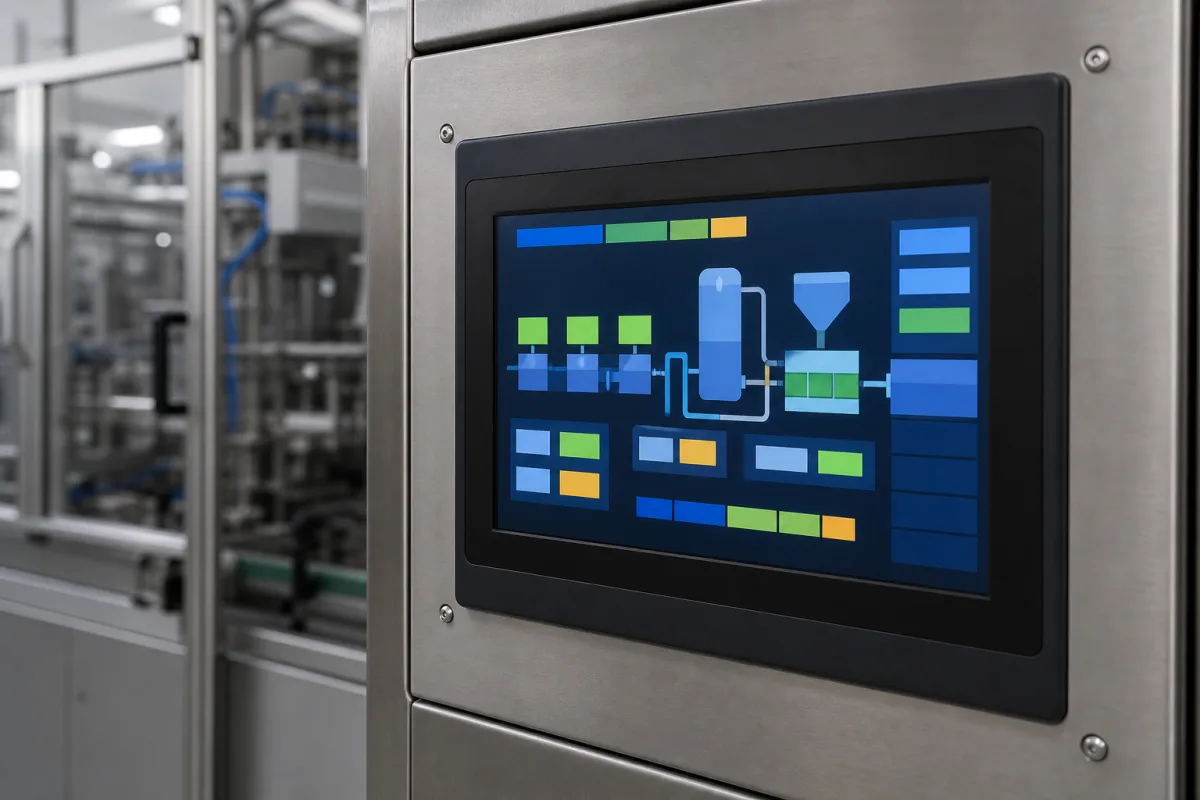
AI-assisted product visualization. Verify appearance with the manufacturer.

Product Specifications

Technical details and manufacturing context for Display Interface

Definition
A display interface is the human-machine interface (HMI) component of a temperature controller, typically consisting of a screen (LCD, LED, or touchscreen) and input controls (buttons, knobs, or a touch layer). Its primary role is to present real-time temperature readings, setpoints, system status, alarms, and configuration menus to the operator, while also accepting user inputs to adjust control parameters and navigate system functions.
Working Principle
The interface receives digital signals from the controller's main processing unit. These signals are converted into graphical or alphanumeric representations on the display. User inputs from buttons or a touchscreen are captured, converted into electrical signals, and sent back to the processor to execute commands like changing a setpoint or acknowledging an alarm.
Common Materials
Polycarbonate (for lens/bezel), Liquid Crystal Display (LCD) module or LED array, Printed Circuit Board (PCB), Silicone rubber (for membrane buttons, if applicable)
Technical Parameters
ParameterNotes & selection driver
Spec(mm) Overall dimensions (height x width x depth) of the interface panel for mounting compatibility.
Components / BOM
  • Display Screen
    Provides visual output of temperature data, menus, and system status.
    Material: LCD glass, polarizers, LED array
  • Front Bezel / Lens Part
    Protects the display screen and input elements from physical damage and environmental factors.
    Material: Polycarbonate, acrylic
  • Control Buttons / Touch Layer Part
    Accepts user input for navigation, parameter adjustment, and command execution.
    Material: Silicone rubber (membrane), plastic (tactile), glass (capacitive touch)
  • Interface PCB
    Hosts the driver circuitry for the display, input scanning logic, and communication interface with the main controller.
    Material: FR-4 substrate, copper traces, electronic components

Industry Taxonomies & Aliases

Commonly used trade names and technical identifiers for Display Interface.

Applied To / Applications

This component is essential for the following industrial systems and equipment:

Industrial Ecosystem & Supply Chain Structure

Complementary Systems
Downstream Applications
Specialized Tooling

Application Fit & Sizing Matrix

Operational Limits
pressure: N/A (display interface only, no pressure rating required)
other spec: IP65 ingress protection rating, 1000 cd/m² brightness for sunlight readability
temperature: -20°C to +70°C (operating), -40°C to +85°C (storage)
Media Compatibility
✓ Indoor industrial environments ✓ Clean room manufacturing facilities ✓ HVAC control panels
Unsuitable: Outdoor environments with direct UV exposure and extreme weather conditions
Sizing Data Required
  • Display resolution and size requirements
  • Mounting interface and panel cutout dimensions
  • Communication protocol compatibility (e.g., Modbus, Ethernet/IP, Profibus)

Reliability & Engineering Risk Analysis

Failure Mode & Root Cause
Pixel degradation
Cause: Extended exposure to high temperatures causing phosphor burnout in CRT displays or LED/OLED material fatigue in modern screens, accelerated by poor thermal management
Interface connectivity failure
Cause: Mechanical stress on connectors from repeated plugging/unplugging, leading to broken solder joints, bent pins, or worn contact surfaces
Maintenance Indicators
  • Flickering, distorted images, or dead pixels indicating imminent display failure
  • Intermittent signal loss or 'no input detected' errors suggesting connector or cable degradation
Engineering Tips
  • Implement thermal monitoring and ensure adequate ventilation/cooling to prevent overheating-induced component degradation
  • Use strain relief on cables and establish connector inspection/replacement schedules based on usage cycles

Compliance & Manufacturing Standards

Reference Standards
ISO 9241-302:2008 (Ergonomics of human-system interaction - Part 302: Terminology for electronic visual displays) ANSI/HFES 100-2007 (Human Factors Engineering of Computer Workstations) CE Marking (Directive 2014/35/EU for Low Voltage Equipment and 2014/30/EU for Electromagnetic Compatibility)
Manufacturing Precision
  • Pixel Defect Tolerance: ≤3 bright subpixel defects or ≤5 dark subpixel defects per million pixels
  • Color Uniformity: ΔE ≤ 3 across display surface at 50% gray level
Quality Inspection
  • Luminance and Chromaticity Uniformity Test (per ISO 9241-307)
  • Touch Interface Accuracy and Responsiveness Test (per IEC 61000-4-6 for EMC immunity)

Published Manufacturer Relationships

Source-reviewed profile relationships currently associated with Display Interface

No source-reviewed manufacturer relationship is currently published for this product.

Manufacturer listings support early research and capability understanding. They are not certification, ranking, or transaction guarantees.

Technical documentation
Request current drawings, revision history, and a signed specification sheet.
Manufacturing capability
Verify equipment lists, process limits, capacity, and representative production evidence.
Inspection readiness
Confirm test methods, calibrated equipment, sampling plans, and traceable reports.
Supplier transparency
Check the legal entity, factory address, ownership, certifications, and direct contacts.

CNFX does not score or rank suppliers. Buyers must verify all claims and documents with the legal manufacturer before ordering.

Supply Chain Compatible Machinery & Devices

High-Precision CNC Laser Cutting Machine

Computer-controlled industrial machine using focused laser beams to cut sheet metal with micron-level accuracy.

Explore Specs →
Infeed Conveyor

A conveyor system component designed to receive and transport raw materials or workpieces into an industrial processing system.

Explore Specs →
Heating Zone

A designated section within an industrial system where controlled thermal energy is applied to materials or products.

Explore Specs →
Sterilization Zone

A designated section within an industrial system where materials or products undergo sterilization processes to eliminate microorganisms.

Explore Specs →

Frequently Asked Questions

What materials are used in this display interface for durability?

This display interface uses polycarbonate for the lens/bezel for impact resistance, silicone rubber for membrane buttons (if applicable) for tactile response and sealing, and standard PCB/LCD components for reliable operation in industrial environments.

How does this interface integrate with temperature control systems?

The interface connects via its PCB to the temperature controller's main system, providing real-time visual feedback of temperature readings and allowing operators to adjust settings through buttons or touch controls while withstanding industrial conditions.

What are the maintenance requirements for this display interface?

The polycarbonate lens resists scratches and chemicals, requiring only occasional cleaning. Membrane buttons (if used) are sealed against dust and moisture. The LCD/LED display and PCB are designed for long-term reliability with minimal maintenance in machinery applications.

Data Basis

Editorial classification, named public sources where available, and source-reviewed manufacturer records.

Preliminary Technical Classification
This page supports structured research, RFQ preparation, and supplier evaluation. It does not replace buyer-led supplier qualification, standards review, or technical approval.

Request Manufacturing Insight for Display Interface

Ask for use case, specification boundaries, supplier type, and RFQ preparation information for Display Interface.

Your business information is used only to process this request.

Thank you! Your message has been sent. We'll respond within 1–3 business days.

Need to Manufacture Display Interface?

Compare manufacturer profiles with relevant product and process capability.

Create Manufacturer Profile Contact Us
Previous Product
Workpiece Fixture
Last Product