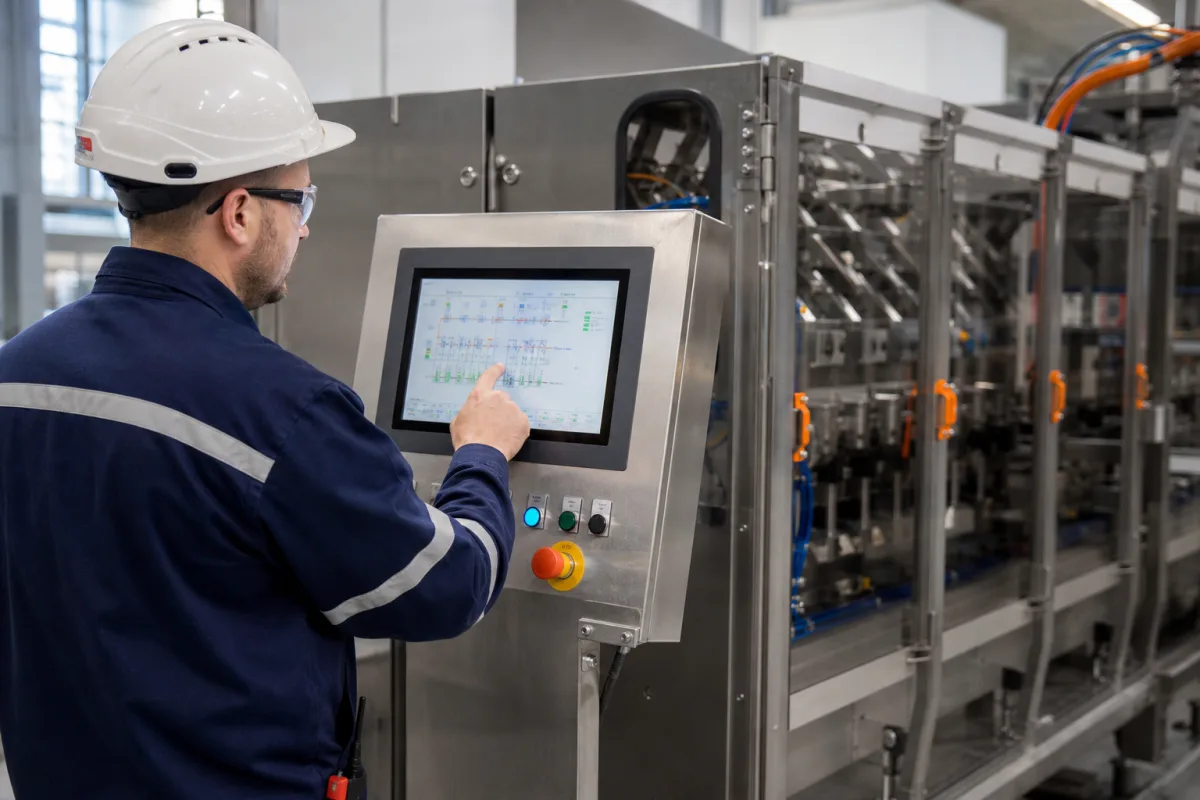
Touchscreen HMI (explosion-protected touch operator station for hazardous areas: Zone 1/21, Zone 2/22 and Class I Division 2)
Explosion-protected touchscreen HMIs for Zone 1/21, Zone 2/22 and Division 2 · Ex markings and protection types, thin-client remote monitors, gloved multi-touch or resistive touch, IP66 stainless enclosures, cold-start limits
A touchscreen HMI here is an operator touch station built and certified for use where flammable gas or dust may be present: a display, touch sensor and computing unit in an enclosure that carries an ATEX, IECEx or North American hazardous-location marking; the stations reviewed here work as thin clients to a control system in the safe area. Ask three things first: which zone or division and which gas and dust groups and temperature class the location needs, which protection types the marking lists and what that means for maintenance, and whether the touch screen works for gloved operators across the site's temperature range.
Explosion-protected touchscreen HMIs, remote monitors and thin-client operator stations for ATEX/IECEx Zone 1, 2, 21 and 22 and North American Division 1 and 2 locations. Standard operator touch panels are covered on the Human-machine interface (HMI) page; touch technology on the HMI touchscreen page; stainless washdown HMIs on the Stainless steel washdown HMI page; machine-side operator stations with E-stops on the HMI interface operator station page; rear-mount cabinet panels on their own page.
CNFX editorial research · Sources checked October 12, 2026 · 4 sources
Reading the Ex marking: Zone 1 versus Zone 2 versions of the same station
Pepperl+Fuchs makes its VisuNet GXP remote monitor in a Zone 1/21 and a Zone 2/22 version. The Zone 1/21 unit (19-inch) is marked II 2G Ex eb q ib [ib] IIC T4 IP66 Gb and II 2D Ex tb [ib] IIIC T85°C IP66 Db under EU-type examination certificate BVS 17 ATEX E 036 X, with UL approval for Class I, Division 2, Groups A to D T4 and Zone 2 Group IIC T4. [1] The Zone 2/22 unit (21.5-inch) is marked II 3G Ex ec [ib] q IIC T4 IP66 Gc and II 3D Ex tc [ib] IIIC T85 °C IP66 Dc under BVS 17 ATEX E 037 X. [2]
R. STAHL's EAGLE OS ET-556 thin client operator station is rated for Zones 1, 2, 21 and 22 and Division 2, marked Ex db eb ia ib mb [ia ib] IIC T4 Gb for gas and Ex ia tb [ia ib] IIIC T80°C Db IP66 for dust in its TX version, with ATEX, IECEx, NEC, CEC, EAC, INMETRO, CNEx, KGS and PESO certificates and DNV, LR and ABS ship approvals. R. STAHL notes that additional built-in or added components may change these markings. [4]
Editorial note: comparing the two Pepperl+Fuchs markings, the Zone 1 unit uses increased safety 'eb' and equipment protection level Gb, the Zone 2 unit 'ec' and Gc; both share gas group IIC and temperature class T4, so the zone sets the version while the gas group and T-class match. [1][2]
Give the supplier the zone or division, gas group and dust group, temperature class, ambient temperature range, display size and touch type, glove use, mounting (flush, bezel, pedestal), network and distance to the host, power supply, enclosure material and any GMP or marine certificates, and quantity.
02
Gloved touch, cold mornings and the thin-client link back to the safe area
Pepperl+Fuchs's GXP display has an optional ten-finger multi-touch sensor optically bonded to hardened front glass, which it says allows a touch-optimised interface "even for use while wearing gloves". Both GXP versions run -20 to 50 °C, and the Zone 2/22 data sheet adds that the "display might react sluggishly below 0 °C". The display unit, thin client unit and power supply are separate field-replaceable components, each rated IP66. [2][1][3]
R. STAHL's ET-556 uses a 19-inch 1280 × 1024 display with an analogue resistive foil touch screen as standard, in a SS304 or SS316L enclosure optionally to GMP, rated IP66 all round, running -20 to +50 °C or -30 to +50 °C with a heater, and sends data over 10/100Base-TX Ethernet on CAT5 cable "up to 100 m". [4] Pepperl+Fuchs also offers an integrated RFID reader in the GXP display for access cards up to Zone 1/21. [3]
Explore company information and manufacturing capabilities, then discuss the scope of your project with a relevant supplier.
Share this page
Compiled and source-reviewed by the CNFX editorial team.
Each manufacturer above links to the page on that company's own website where the product is listed, with the date we checked it. How we source and review
· Page last updated 13 October 2026
Buyer questions
How is this different from a standard HMI?
It carries ATEX, IECEx or North American hazardous-location certification for use in explosive atmospheres; standard operator panels are on the Human-machine interface (HMI) page. [1][4]
What changes between a Zone 1 and a Zone 2 version?
In Pepperl+Fuchs's GXP the Zone 1 unit is marked Ex eb … Gb and the Zone 2 unit Ex ec … Gc, both IIC T4. [1][2]
Can operators use it with gloves?
Pepperl+Fuchs says its multi-touch GXP display allows a touch-optimised interface even while wearing gloves; R. STAHL uses resistive touch. [3][4]
How cold can it run?
Both makers give -20 °C; R. STAHL reaches -30 °C with a heater, and Pepperl+Fuchs notes sluggish display response below 0 °C on its Zone 2 unit. [2][4]
Sources and what still needs a direct check
Sources checked 2026-10-12. Pepperl+Fuchs publishes its VisuNet GXP page and Zone 1/21 and Zone 2/22 data sheets; R. STAHL publishes its EAGLE OS ET-556 data sheet.