Data Logging Module
View system integration details
This page explains how Communication Interface is classified within Computer, Electronic and Optical Product Manufacturing. Technical values and manufacturer relationships are research references; confirm the current specification and supplier evidence for each order.
Hardware and software component enabling data exchange between the Data Logging Module and external systems or devices.
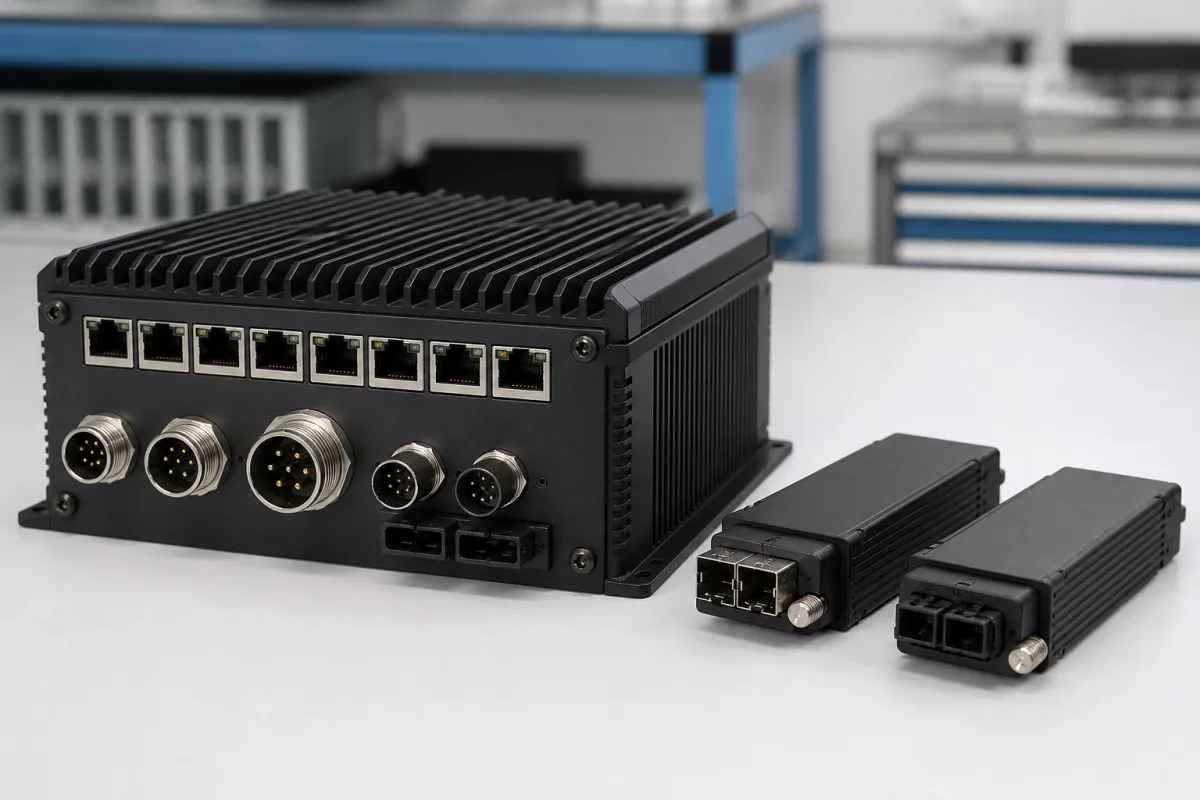
Technical details and manufacturing context for Communication Interface
What to specify in your RFQ
These are the quantities to specify to the manufacturer when sizing or requesting a quote. The manufacturer's own documentation governs the exact figures and applicable standard.
| pressure: | Not applicable (electronic component) |
| other spec: | Data rate: 10 Mbps to 1 Gbps, Power supply: 12-24 VDC |
| temperature: | -40°C to +85°C |
Indicative industry ranges for design and RFQ preparation. Confirm the exact figures and applicable standard with the manufacturer before specifying.
Quoted from the published standard.
A practical evidence checklist for RFQ preparation and supplier evaluation.
Compare the published product scope and source details, then include your specifications and quantity in an enquiry.
Manufacturer profiles associated with Communication Interface.
Explore company information and manufacturing capabilities, then discuss the scope of your project with a relevant supplier.
Ask for use case, specification boundaries, supplier type, and RFQ preparation information for this product.
It enables bidirectional data exchange between the Data Logging Module and external systems such as PLCs, SCADA systems, or computers, allowing integration into industrial automation networks.
The interface can handle protocols like Modbus, Profibus, Ethernet/IP, and RS-232/485, but the specific supported protocols must be confirmed with the manufacturer for the exact model.
The baud rate is specified in bps and must match the requirements of the connected external system. Verify the required rate with the system's documentation and the manufacturer's specifications.
Check physical connections, ensure the baud rate and protocol settings match, and inspect for damage to connectors or PCB. If issues persist, contact the manufacturer for support.
This component is essential for the following industrial systems and equipment:
Editorial classification, named public sources where available, and source-reviewed manufacturer records.
Compare manufacturer profiles with relevant product and process capability.